Verdict: For a 5-10 person small business team, ClickUp gives you the most features per dollar ($7/user/month), Asana is the easiest to onboard a whole team onto in an afternoon, and Monday.com is worth the higher $9/seat 3-seat-minimum price only if visual, client-facing dashboards matter to you. None of the three free plans comfortably fit a team this size — budget for a paid tier from day one.
Last updated: August 2026, based on hands-on setup of all three tools and pricing verified against each provider’s official pricing page.
Written by the AppGuideHQ Team — see how we test and review software.
At-a-Glance Comparison
| Asana | ClickUp | Monday.com | |
|---|---|---|---|
| Starting price (annual) | $10.99/user/mo | $7/user/mo | $9/seat/mo (3-seat min.) |
| Free plan seats | 2 users | Unlimited | 2 seats |
| Free plan storage | 100MB/file | 60MB total | 500MB total |
| Free plan automations | None | 100/month | None |
| Views (list/board/timeline) | Yes (timeline paid-only) | Yes, most view types of the three | Yes, strongest visual/dashboard views |
| Onboarding time (first project) | ~10 minutes | ~20-25 minutes | ~15 minutes |
Asana: Best for Fast, Low-Friction Onboarding
Asana’s interface gets out of your way faster than the other two — quick-add a task, assign it, set a due date, done. Signing up drops you straight into a short setup wizard that asks what kind of work you’re tracking, then generates a starter project; from there, adding a real task takes three clicks. For a team that’s never used project management software before, that matters: less time spent configuring, more time actually tracking work in the first week.
The tradeoff is the free plan’s hard 2-user cap (cut down from 10 for accounts created after November 12, 2025), which means a 5-10 person team is on the $10.99/user/month Starter plan from day one — no free ramp-up period. You also don’t get custom fields, rules-based automation, forms, or the Timeline (Gantt) view until you upgrade, so if your team relies on visual scheduling, budget for that from the start rather than assuming the free plan will hold you over.
- Pros: fastest onboarding, clean list/board/timeline sync, strong notification system, minimal training needed
- Cons: free plan unusable for a real team, fewer built-in view types than ClickUp, automation locked behind paid tiers
ClickUp: Best Feature-to-Price Ratio

ClickUp packs in docs, whiteboards, goals, and time tracking on every plan, including Free Forever. Onboarding is noticeably longer than Asana’s: the sign-up flow asks you to pick a “Space” template, then presents a dense sidebar with far more navigation options than a first-time user needs. It’s not confusing so much as overwhelming — expect your first real project to take 20-25 minutes to set up properly instead of Asana’s 10.
The free tier’s 60MB total storage cap is tight enough that a team uploading normal attachments (screenshots, briefs, mockups) will hit it within weeks, not months, and you’re capped at 5 Spaces and 100 automations per month. Once you’re on the $7/user/month Unlimited plan, storage and automation limits mostly disappear and ClickUp becomes the cheapest full-featured option of the three by a meaningful margin — about $48/user/year less than Asana’s Starter plan.
- Pros: cheapest paid plan of the three, deepest feature set, unlimited free users, built-in docs and time tracking
- Cons: steepest learning curve, 60MB free storage cap is genuinely limiting, easy to over-configure early on
Monday.com: Best for Visual, Client-Facing Dashboards
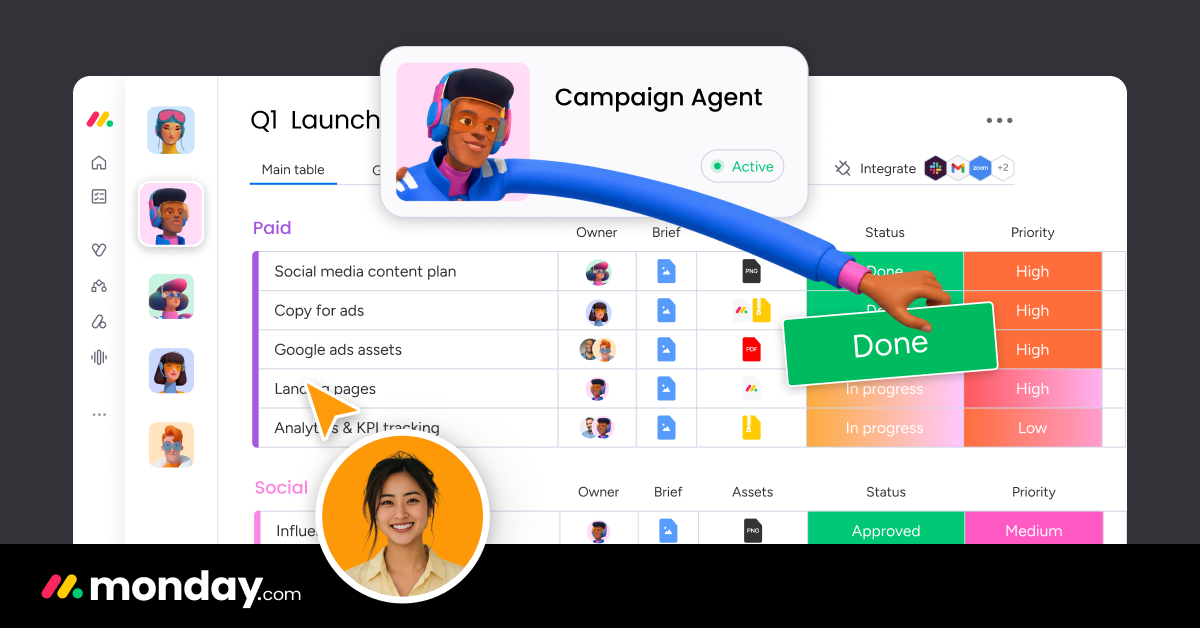
Monday.com’s color-coded, spreadsheet-style boards are the most polished-looking of the three, which is genuinely useful if you’re screen-sharing progress with a client or your own leadership regularly. Setup lands you in a template gallery organized by department (marketing, sales, dev), and the resulting board is immediately presentable — status columns are color-coded by default without any manual styling.
The free plan is the most restrictive for teams: 2 seats, 3 boards, no automations or integrations at all. Paid plans require a 3-seat minimum, so the real entry cost for a small team is $27/month (3 seats x $9) even if only two people log in daily — a hidden cost that doesn’t show up until checkout.
- Pros: best-looking dashboards out of the box, most customizable board views, good for client-facing reporting
- Cons: 3-seat minimum inflates real cost, free plan has zero automations or integrations
Which One Should a 5-10 Person Team Pick?
Use this quick rubric:
- Tightest budget, don’t mind a slower first setup session → ClickUp
- Want the whole team productive by end of day one → Asana
- Regularly present project status to clients or non-team stakeholders → Monday.com
- Team is mostly non-technical and dislikes configuring software → Asana, for the shallower learning curve
- Team already tracks work in spreadsheets and wants a familiar look → Monday.com, for the grid-style layout
If you’re a solo freelancer rather than a team, this comparison isn’t really built for you — see our narrower Trello vs Asana for freelancers comparison instead. And if you want the full picture including Trello and free-tier-only options, start with our best project management software guide.
FAQ
Is ClickUp cheaper than Asana?
Yes. ClickUp’s Unlimited plan starts at $7/user/month billed annually, compared to Asana’s Starter plan at $10.99/user/month — a difference of roughly $48/user per year.
Why does Monday.com cost more than the sticker price suggests?
Monday.com enforces a 3-seat minimum on paid plans. Even a 2-person team pays for 3 seats at $9/seat/month ($27/month total), which pushes the effective per-active-user cost higher than Asana or ClickUp for very small teams.
Which tool has the shortest learning curve?
Asana, by a clear margin. Its setup wizard and quick-add task flow get a new team member creating and assigning tasks within minutes, whereas ClickUp’s deeper feature set takes longer to feel comfortable with.
Does any of the three offer real automation on the free plan?
Only ClickUp does, with 100 automations per month on its Free Forever plan. Asana and Monday.com both lock automation behind a paid tier.
Can I try all three before committing?
Yes — all three offer a free plan or free trial. Given the free-tier limits described above, the most realistic test is running one real project through each tool’s free plan for a week with your actual team before comparing them, rather than judging from the marketing pages alone.
Does team size beyond 10 change this comparison?
Yes — beyond roughly 10-15 people, Monday.com’s dashboard and reporting features start earning their price more clearly, and Asana’s Advanced tier (goals, portfolios) becomes worth the jump from Starter. This comparison is specifically scoped to the 5-10 person range where all three remain realistic options.
Which tool integrates best with Slack?
All three offer solid native Slack integrations for task notifications and quick task creation. There’s no meaningful gap between them here — this shouldn’t be a deciding factor for most teams.
Do any of these three offer a discount for annual billing?
Yes — all three prices quoted throughout this comparison already reflect annual billing, which is meaningfully cheaper than paying monthly on every one of them (roughly 15-30% savings depending on the tool). Monthly billing is available but at a premium if you’d rather avoid a yearly commitment.